
pluris 26.4 — hide contacts and photos

pluris 26.4 is on the App Store. It is the first iPhone release since 26.2, and it brings two things you can do nowhere else on an iPhone: take a contact out of Contacts, or a photo out of Photos, and keep it encrypted on your phone until you want it back.
Hide contacts and photos
iOS has no way to hide a contact inside Contacts, and Photos’ own Hidden album has been one-way for other apps since iOS 16. So pluris does the honest version: hiding means moving it out.
Choose a contact from its page, or a photo with the system picker. pluris copies the whole thing — for a contact, the vCard, the photo, its account and its groups; for a photo, every original resource — encrypts it with AES-GCM under a key that lives only in this iPhone’s keychain, reads the copy back and compares it, and only then deletes the original. For a photo the delete is Photos’ own dialog; nothing is removed behind your back.
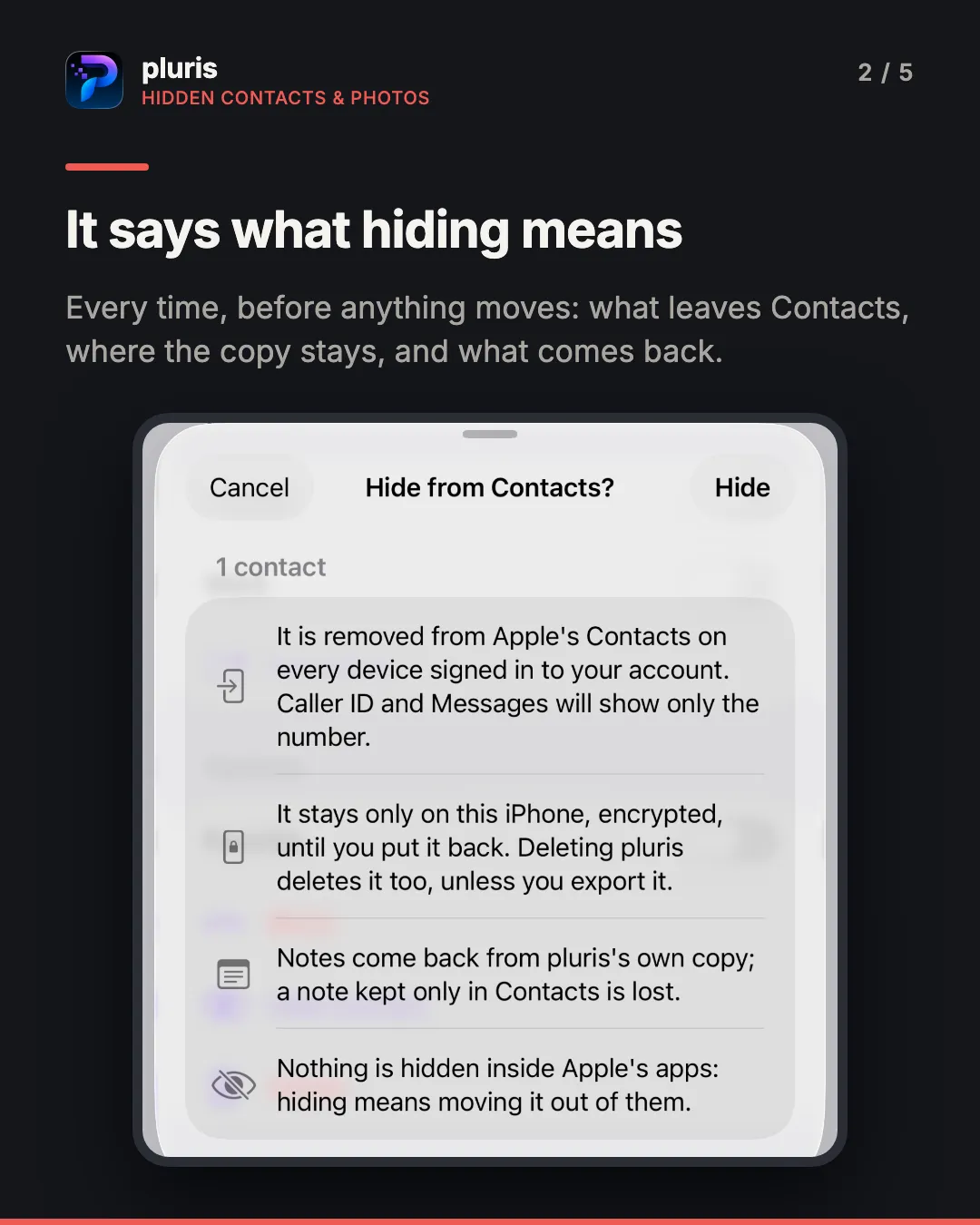
The confirmation sheet says the same thing every time, because every line of it matters: the item leaves on every device signed in to your account; it stays only on this iPhone, so deleting pluris deletes it too unless you export it; a note kept only in Contacts is lost; and nothing is hidden inside Apple’s apps. For photos it adds that the original waits 30 days in Recently Deleted, that pluris cannot empty that album, and that edits are not kept.
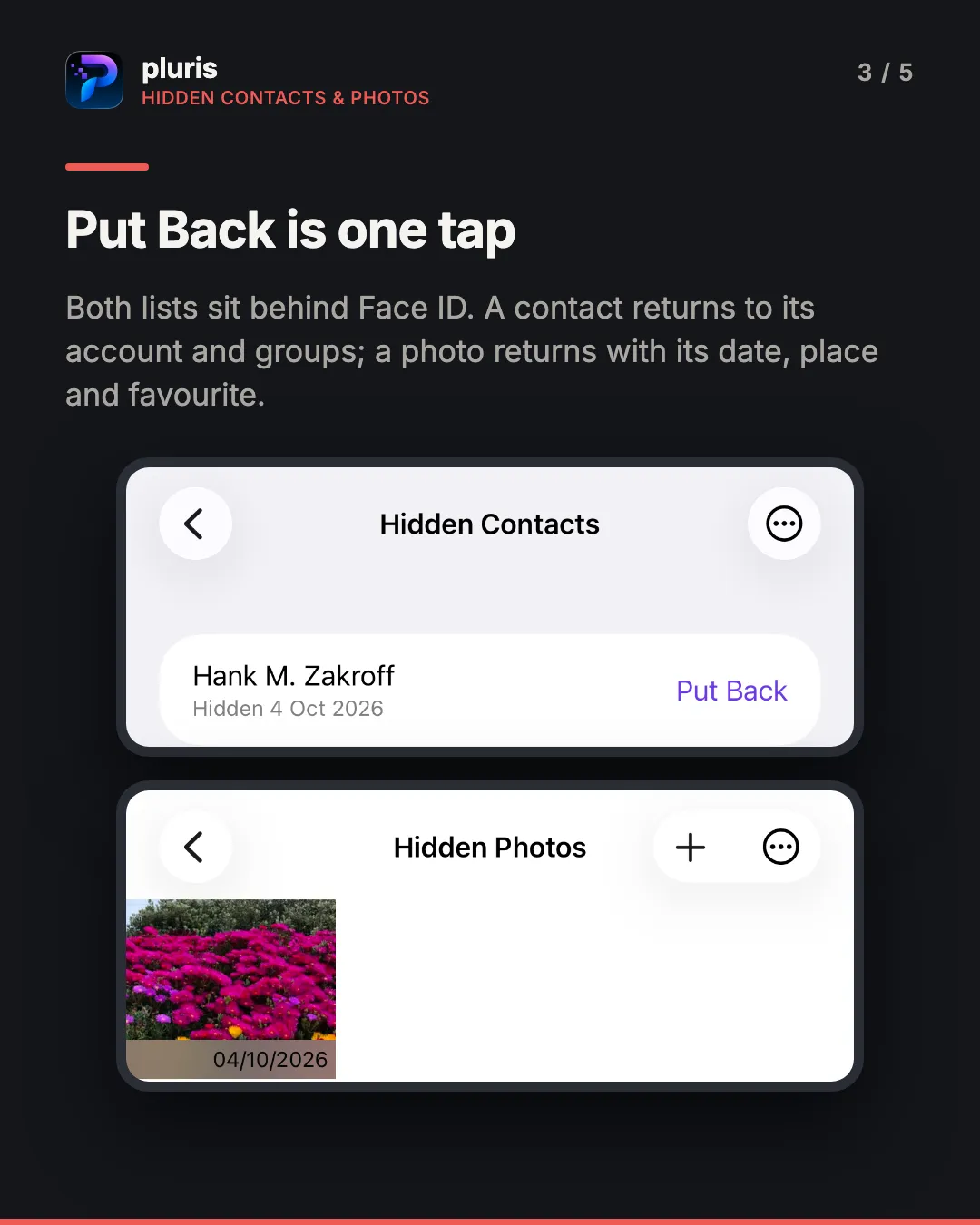
Both lists sit behind Face ID, Touch ID or your passcode. Put Back returns a contact to the account and groups it came from, and recreates a photo in the library with its date, place and favourite. Because the key never leaves this iPhone, there is a passphrase-protected export for moving the hidden set to a new phone.
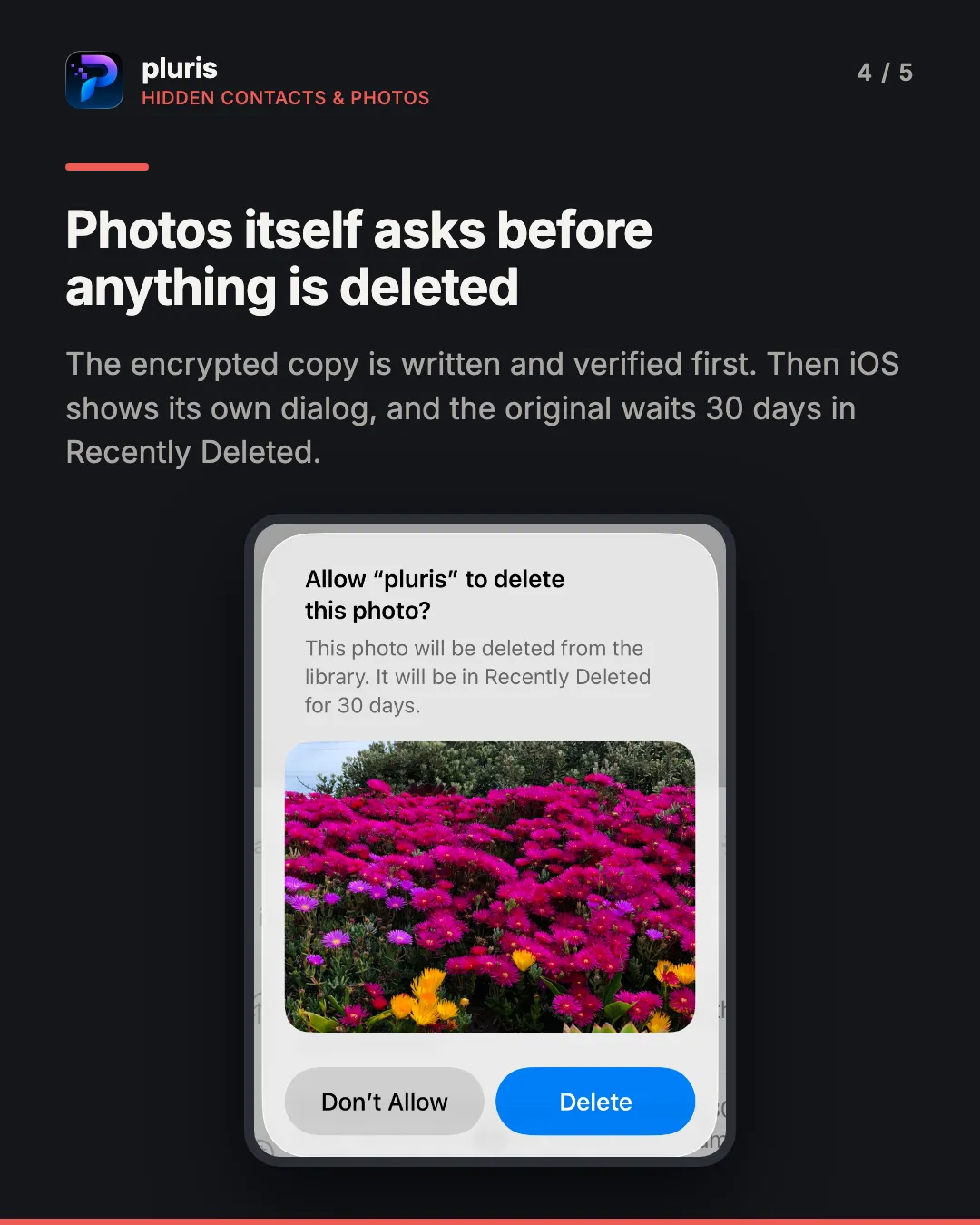
There is no decoy and no disguised interface. The feature is called Hidden Contacts and Hidden Photos, and that is where it is. Hiding one item is free; hiding several at once is part of pluris Pro.
The vault backs itself up
iCloud Keychain is a sync mechanism: it carries a deletion to every device as faithfully as a save. Until now the only copy of the vault outside it was the manual export nobody is reminded to make. Vault → More → Backups… turns on automatic backups: after every change, pluris writes an encrypted copy of the whole vault — passkeys included — into its own app data, inside your iPhone’s own iCloud or Finder backup.
One passphrase, chosen once, opens them, on this device or the next one. pluris keeps no copy of it and holds no key that opens a backup on its own, and the screen says so before you type it: forget the passphrase and the backups are unreadable. Backups older than 30 days are removed, never more than 60 are kept, and restoring goes through the same preview and merge as any import. The format is CryptoKit’s HPKE to a random key pair, with the key wrapped under your passphrase — a backup file has exactly the exposure of a manual export.
Organise the vault with Google Gemini
With pluris Pro, the organiser can run on Google Gemini through pluris cloud: better names, groups and categories, a note holding six credentials split into six items. It is opt-in, off until you turn on the switch under a paragraph that names what is sent — titles, groups, categories and notes, with every secret replaced by a placeholder before anything leaves the phone. Each run says Google Gemini via pluris cloud before it starts and what it cost afterwards. The fingerprint-based duplicate check still runs on the device, for everyone.
Also in 26.4
- A password generator in the editor, and in sign-up forms on iOS 26.2 — within the form’s own rules
- New item types for email accounts, OAuth clients, MCP servers, chat apps and SSH keys, each with its own form
- Duplicates say why: a sentence under each group explains what matched, and one under the kept item explains why it was kept. AutoFill says why each suggestion is offered
- Save a password from any app through the share sheet, and split a note holding several credentials into separate items
- Sort by last used, and an audit section for passwords that may be out of date
- Export your contacts as a printable PDF directory
- Compressing photos replaces the originals instead of adding copies
- Larger, higher-contrast text throughout
Where the data goes
Unchanged, and worth repeating: your contacts, messages and photos are read on the device and stay there. Hidden items are encrypted on this iPhone and nowhere else. Vault items live in the iOS keychain and sync between your own devices through iCloud Keychain. The one thing that can leave the phone is the redacted description the Pro organiser sends to Google Gemini, and only after you switch it on.
More
- pluris on red8.io — what it does, and what it costs
- Support